

(Case 02) Custom WooCommerce plugin
Monthly payments, clear before checkout
A WordPress plugin for Maxtecno that shows what each installment plan costs on the product page, lets shoppers pick one at checkout and sends the right total to Mercado Pago, Latin America’s leading payment platform.
- Client
- Maxtecno
- Industry
- Consumer tech · Online store
- Year · duration
- 2025 · 2 weeks
- Services
- E-commerce consulting
- With
- Dizconnect (opens in a new tab) (agency)
(01) The plugin in numbers
The plugin in numbers
4
places where installments show up: product page, shortcode, cart and checkout1
click to pull current rates from the Mercado Pago API11
classes split by responsibility, starting from a single script0
manual math: the surcharge is added to the order total automatically
(02) The challenge
Interest charges customers only discovered at checkout
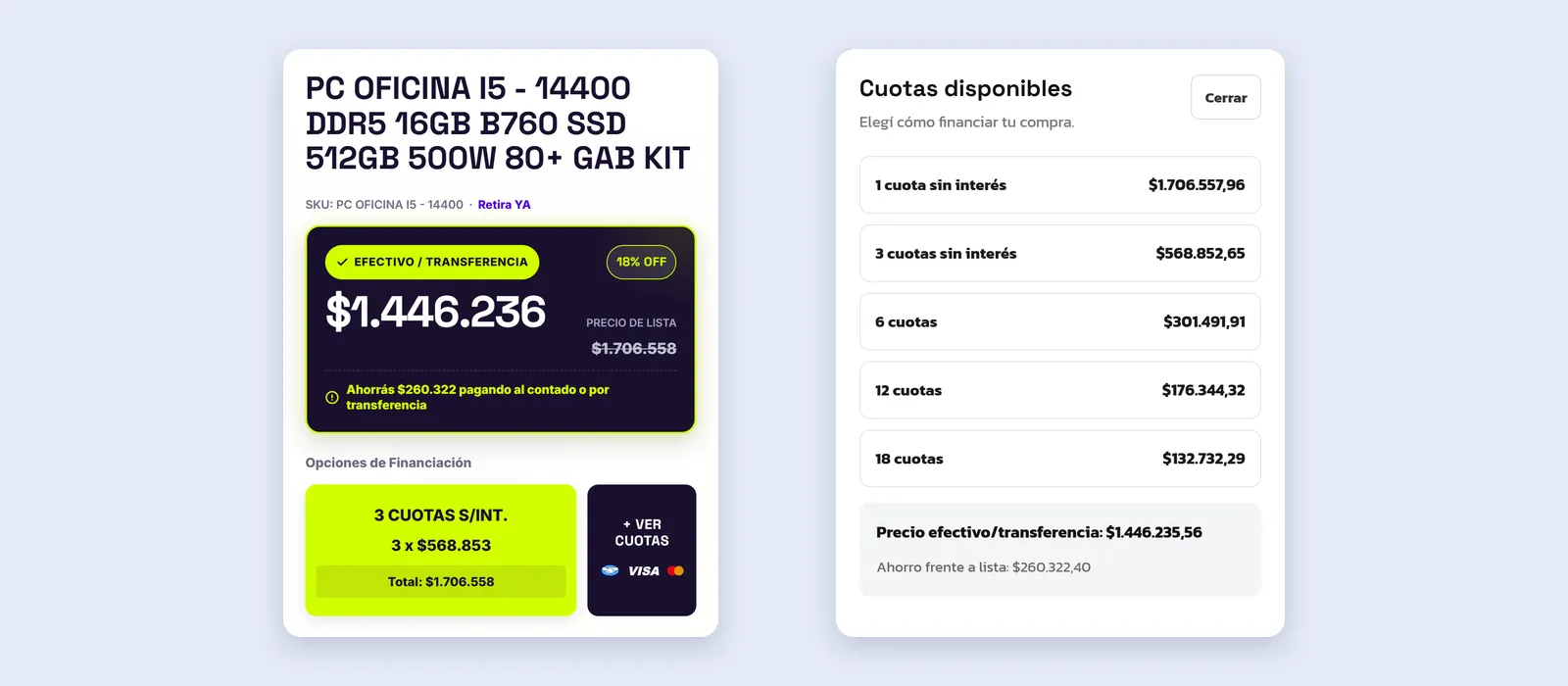
Maxtecno sells tech products, and in Argentina many of those purchases are paid in monthly installments through Mercado Pago. But the store only showed the cash price: the installment amount and the surcharge appeared on Mercado Pago’s screen, when the customer was already about to pay.
Rates change often and were entered by hand. All the logic lived in a single script that was hard to maintain, and the chosen plan wasn’t saved on the order.
(03) What we did
5 steps, from problem to launch
Step 1: Installments on the product page
Below the price, the best option is highlighted (like 3 interest-free payments), and a button opens a panel with every plan, the amount per installment and the cash price. Also available as a shortcode for any page.
Step 2: Installment picker at checkout
When the shopper chooses Mercado Pago, a picker shows each installment amount and the final total. Switching plans updates the order summary without reloading the page.
Step 3: Correct surcharge and payment request
The surcharge for the chosen plan is added to the cart as a fee, and the payment request sent to Mercado Pago already includes the total and the number of installments.
Step 4: Rates panel connected to the API
A WordPress admin panel to edit rates, pull the current ones from the Mercado Pago API with one click and simulate any amount.
Step 5: Clean code and plan saved on each order
The original script became a modular plugin, split into admin, logic and view. The installment plan is saved on every order so it can be checked from the dashboard.
(04) Tools
Tools used
- WordPress
- WooCommerce
- PHP
- jQuery
- Mercado Pago API
Results depend on where each business starts. In the free audit I'll tell you what to realistically expect in your case.